
Opening the Doors to Everyone: A Guide to Accessibility and SEO
In the world of the web, it’s easy to forget that not everyone experiences your website in the same way. Web accessibility (often abbreviated as a11y) is the inclusive practice of designing and developing a website so that people with disabilities can use it effectively. This isn’t just a matter of social responsibility; it’s a cornerstone of modern, high-quality web development and a critical component of a holistic SEO strategy.
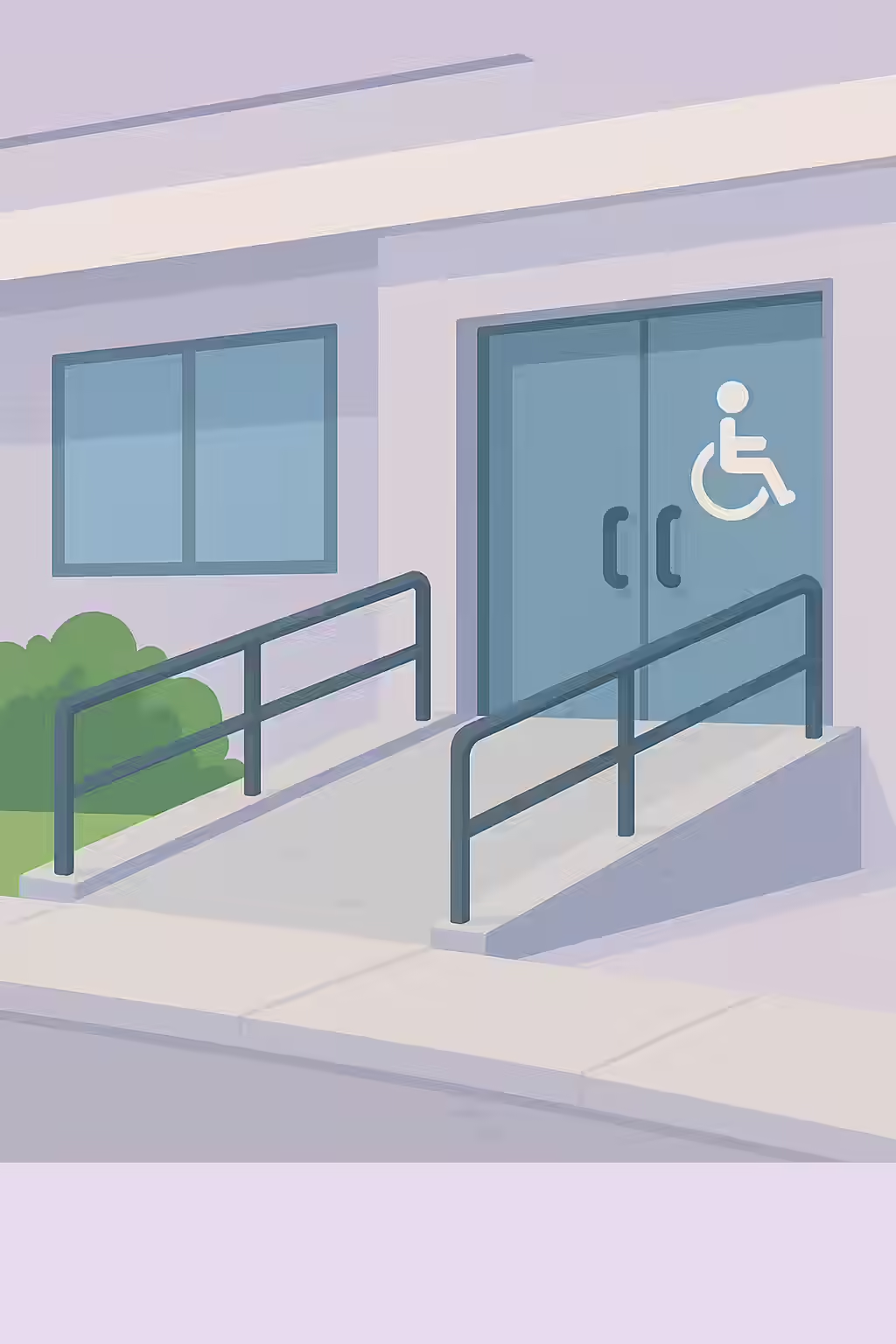
Think of your website as a public building. A physical building has ramps, elevators, and clear signage to ensure everyone can get in and find what they’re looking for. An accessible website does the same with features like descriptive alt text, logical heading structures, and keyboard navigation. Many of these features not only help users with disabilities but also provide clearer signals to search engines, helping them better understand and rank your content. For a complete overview of accessibility principles, the W3C’s Introduction to Web Accessibility is the definitive starting point.
Your Guide to a More Inclusive and SEO-Friendly Website
This category provides a comprehensive set of guides to help you understand and implement web accessibility best practices. Below are the key topics we cover, grouped by Best Practices and the official Web Content Accessibility Guidelines (WCAG).
The One and Only: A Guide to Unique Accesskey Values
Learn why the accesskey attribute is often problematic for accessibility and why, if you must use it, the values must be unique to avoid creating a confusing user experience.
What’s in a Name? A Guide to Accessible ARIA Dialogs
Learn why ARIA dialogs and alertdialogs require an accessible name (aria-labelledby or aria-label) and how to implement them correctly for screen reader users.
The Echo Chamber: A Guide to Avoiding Repeated Alt Text
Learn why repeating alt text in your surrounding content is bad for accessibility and how to fix it by writing concise, non-redundant alt text or using null alt attributes.
Branching Out: A Guide to Accessible ARIA Treeitems
Learn why ARIA treeitem nodes require an accessible name and how to provide one using content or aria-label for screen reader users.
The Top Dog: A Guide to the Banner Landmark
Learn why the banner landmark (header) must be a top-level landmark and should not be nested inside other landmarks like main or side.
The Sidekick: A Guide to Complementary Landmarks and Asides
Learn why the complementary landmark aside should be a top-level landmark and not nested within other landmarks like main or footer.
The Lay of the Land: A Guide to Landmarks
Learn why all page content must be contained by landmarks for accessibility. A guide to using HTML5 and ARIA landmarks like main, nav, and header correctly.
The Right Role: A Guide to Appropriate ARIA Roles
Learn the first rule of ARIA and why using native HTML elements is better than inappropriate ARIA roles. A guide to fixing common accessibility issues.
The Winding Road: A Guide to Avoiding Tabindex Greater Than Zero
Learn why using a tabindex greater than zero is an accessibility anti-pattern and how to create a logical tab order using your DOM structure.
What’s in a Name? A Guide to Visible Form Labels
Learn why every form element needs a visible, properly associated label for accessibility and how to implement them using the
The Inspector’s Magnifying Glass: A Guide to Testing Frames with axe-core
Learn why frames and iframes can be accessibility black boxes and how to test them with axe-core. A guide to fixing common issues like missing title attributes.
The Logical Ladder: A Guide to Sequential Heading Levels
Skipping heading levels (e.g., an H1 followed by an H3) creates a confusing structure for screen readers and search engines. Learn how to fix this accessibility and SEO issue.
The Full Story: A Guide to Non-Empty Headings
Learn why empty heading tags are confusing for screen readers and how to fix them to improve your site’s accessibility and semantic structure.
The One and Only: A Guide to Unique Landmarks
Learn why landmarks must have a unique role or accessible name when used multiple times on a page, and how to fix it with aria-label or aria-labelledby.
The Unzoomable City: A Guide to the Meta Viewport and Zooming
Learn why disabling user zoom and scale in the meta viewport tag is a critical accessibility failure (WCAG 1.4.4) and how to fix it.
The Headline: A Guide to the H1 Tag
Learn why every page must contain one, and only one, H1 tag for accessibility and SEO, and how to write an effective main heading for your content.
The One and Only: A Guide to the Banner Landmark
Learn why your page should have only one banner landmark (
The Foundation: A Guide to the Contentinfo Landmark
Learn why your page should have only one contentinfo landmark (
The Main Event: A Guide to the Main Landmark
Learn why every page requires one, and only one, main landmark (
The Sound of Silence: A Guide to Presentational Roles
Learn why the ARIA role=’text’ is invalid and how to correctly mark non-interactive content for screen readers using role=’presentation’ or aria-hidden=’true’.
Setting the Table: A Guide to the Scope Attribute
Learn how to use the scope attribute (`scope=’col’` and `scope=’row’`) on table headers (
The Labeled Table: A Guide to Discernible Text for Table Headers
Learn why table headers (
The Invisible Element: A Guide to Presentational Elements
Learn how to hide purely decorative elements from screen readers using role=’presentation’ and aria-hidden=’true’ to reduce noise and improve accessibility.
The Express Lane: A Guide to Skip Links
Learn how to properly implement a ‘skip to main content’ link with a focusable target using tabindex=’-1′ to improve keyboard accessibility.
The Echo Chamber: A Guide to Avoiding Identical Summary and Caption Text
Learn why it’s important for your tables to not have identical summary and caption text and how to fix it.
A Thousand Words: A Guide to Alternate Text for Active Area Elements
Active area elements without alternate text are a major accessibility issue. Learn how to add alt text to your image maps to comply with WCAG 2.0.
What’s in a Name? A Guide to Valid ARIA Attribute Names
Using invalid ARIA attribute names can break accessibility for screen reader users. Learn how to use the correct ARIA attribute names to comply with WCAG 2.0.
The Right Fit: A Guide to Valid ARIA Attribute Values
Using invalid ARIA attribute values can break accessibility for screen reader users. Learn how to use the correct ARIA attribute values to comply with WCAG 2.0.
Feeling Your Way: A Guide to Accessible ARIA Braille
ARIA braille attributes can enhance the experience for braille display users, but they must have a non-braille equivalent. Learn how to comply with WCAG 2.0.
Giving Orders: A Guide to Accessible ARIA Commands
ARIA commands without an accessible name are a major accessibility issue. Learn how to add a name to your ARIA commands to comply with WCAG 2.0.
Now You See Me, Now You Don’t: A Guide to aria-hidden and Focusable Elements
Aria-hidden elements should never contain focusable elements. Learn how to fix this critical accessibility issue to comply with WCAG 2.0.
The Invisible Wall: A Guide to aria-hidden=true on the Body Element
Using aria-hidden=true on the body element can make your entire site inaccessible. Learn why this is a critical accessibility issue and how to fix it.
What’s in a Name? A Guide to Accessible ARIA Input Fields
ARIA input fields without an accessible name are a major accessibility issue. Learn how to add a name to your ARIA input fields to comply with WCAG 2.0.
Gauging Success: A Guide to Accessible ARIA Meter Nodes
ARIA meter nodes without an accessible name are a major accessibility issue. Learn how to add a name to your ARIA meter nodes to comply with WCAG 2.0.
The Finish Line: A Guide to Accessible ARIA Progressbars
ARIA progressbars without an accessible name are a major accessibility issue. Learn how to add a name to your ARIA progressbars to comply with WCAG 2.0.
Keeping it in the Family: A Guide to ARIA Roles and Their Required Parents
Some ARIA roles must be contained within a specific parent role to be valid. Learn how to fix this accessibility issue to comply with WCAG 2.0.
Flipping the Switch: A Guide to Accessible ARIA Toggle Fields
ARIA toggle fields without an accessible name are a major accessibility issue. Learn how to add a name to your ARIA toggle fields to comply with WCAG 2.0.
A Little Birdie Told Me: A Guide to Accessible ARIA Tooltips
ARIA tooltips without an accessible name are a major accessibility issue. Learn how to add a name to your ARIA tooltips to comply with WCAG 2.0.
The Ghost of Geocities Past: A Guide to the Deprecated Blink Element
The blink element is a relic of the past and a major accessibility issue. Learn why you should not use the deprecated blink element and what to use instead.
What’s in a Name? A Guide to Discernible Text for Buttons
Buttons without discernible text are a major accessibility issue. Learn how to add text to your buttons to comply with WCAG 2.0.
All in the Family: A Guide to ARIA Roles and Their Required Children
Some ARIA roles must contain specific children to be valid. Learn how to fix this accessibility issue to comply with WCAG 2.0.
The Ghost of Geocities Past: A Guide to Deprecated ARIA Roles
Deprecated ARIA roles are a sign of an outdated and inaccessible website. Learn why you should not use them and what to use instead.
The Ghost of Geocities Past: A Guide to the Deprecated Marquee Element
The marquee element is a relic of the past and a major accessibility issue. Learn why you should not use the deprecated marquee element and what to use instead.
Keeping it in Order: A Guide to Ordered <dt> and <dd> Groups in <dl>s
For a definition list to be accessible, it must contain only ordered groups of ‘dt’ and ‘dd’ elements. Learn how to fix this issue to comply with WCAG 2.0.
The Definition of a List: A Guide to Containing <dt> and <dd> Elements in <dl> s
For a definition list to be accessible, all
- element. Learn how to fix this issue to comply with WCAG 2.0.
A Thousand Words: A Guide to Alternate Text for role=img
Elements with role=img must have an accessible name. Learn how to add alternate text to your ARIA images to comply with WCAG 2.0.
The Right Tool for the Right Job: A Guide to Allowed ARIA Attributes
Using the wrong ARIA attribute for a role can create a confusing experience for screen reader users. Learn how to use the correct ARIA attributes to comply with WCAG 2.0.
The One and Only: A Guide to Form Field Labels
Form fields should have only one label element to avoid confusion for screen reader users. Learn how to fix this accessibility issue to comply with WCAG 2.0.
What’s in a Name? A Guide to Form Input Labels
Form input elements without labels are a major accessibility issue. Learn how to add labels to your form inputs to comply with WCAG 2.0.
What’s in a Frame? A Guide to the Title Attribute for Frames
Frames without a title attribute are a major accessibility issue. Learn how to add a title to your frames to comply with WCAG 2.0.
One of a Kind: A Guide to Unique Title Attributes for Frames
Duplicate frame titles can confuse screen reader users. Learn why it’s important for your frames to have a unique title attribute and how to fix it.
Speaking the Right Language: A Guide to the Lang Attribute
The lang attribute is a crucial element of any accessible and user-friendly website. Learn why it’s important to use the lang attribute and how to fix it.
The Dynamic Duo: A Guide to Matching HTML Lang and XML Lang Values
Mismatched HTML lang and XML lang values can create a confusing experience for screen reader users. Learn why it’s important for your HTML lang and XML lang values to match and how to fix it.
One of a Kind: A Guide to Unique IDs in ARIA and Labels
Duplicate IDs in ARIA and labels can create a confusing experience for screen reader users. Learn why it’s important for the IDs used in your ARIA and labels to be unique and how to fix it.
A Thousand Words: A Guide to Alternate Text for Image Buttons
Image buttons without alternate text are a major accessibility issue. Learn how to add alternate text to your image buttons to comply with WCAG 2.0.
What’s in a Name? A Guide to Discernible Text for Input Buttons
Input buttons without discernible text are a major accessibility issue. Learn how to add discernible text to your input buttons to comply with WCAG 2.0.
The Inception Problem: A Guide to Avoiding Nested Interactive Controls
Nesting interactive controls is a major accessibility issue. Learn why you should not nest your interactive controls and how to fix it.
Standing Out from the Crowd: A Guide to Distinguishable Links
Links that are not distinguishable from the surrounding text are a major accessibility issue. Learn how to make your links stand out to comply with WCAG 2.0.
What’s in a Name? A Guide to Discernible Text for Links
Links without discernible text are a major accessibility issue. Learn how to add discernible text to your links to comply with WCAG 2.0.
Keeping it Together: A Guide to Containing List Items in List Elements
List items that are not contained in a list element are a major accessibility issue. Learn why it’s important for your list items to be contained in list elements and how to fix it.
Keeping it Clean: A Guide to Containing Only <li> Elements in Lists
Lists that contain elements other than li are a major accessibility issue. Learn why it’s important for your lists to only contain li content elements and how to fix it.
A Thousand Words: A Guide to Alternate Text for Object Elements
Object elements without alternate text are a major accessibility issue. Learn how to add alternate text to your object elements to comply with WCAG 2.0.
The Name of the Game: A Guide to the Title Element
Pages without a title element are a major accessibility issue. Learn why it’s important for your pages to have a title element and how to fix it.
The Express Lane: A Guide to Bypassing Repeated Blocks
Pages without a means to bypass repeated blocks of content are a major accessibility issue. Learn why it’s important to provide a way for users to bypass repeated blocks of content and how to do it.
The Missing Link: A Guide to Required ARIA Attributes
Missing required ARIA attributes can create a confusing experience for screen reader users. Learn why it’s important to provide all required ARIA attributes and how to fix it.
What’s in a Name? A Guide to Accessible Select Elements
Select elements without an accessible name are a major accessibility issue. Learn how to add an accessible name to your select elements to comply with WCAG 2.0.
The Ghost of Geocities Past: A Guide to Server-Side Image Maps
Server-side image maps are an outdated and inaccessible technology. Learn why you should not use server-side image maps and what to use instead.
What’s in a Name? A Guide to Discernible Text for Summary Elements
Summary elements without discernible text are a major accessibility issue. Learn why it’s important for your summary elements to have discernible text and how to fix it.
A Thousand Words: A Guide to Accessible Text for SVG Images
SVG images and graphics without accessible text are a major accessibility issue. Learn why it’s important for your SVG images and graphics to have accessible text and how to fix it.
Keeping it in the Family: A Guide to the ‘headers’ Attribute
Using the ‘headers’ attribute incorrectly is a major accessibility issue. Learn why it’s important for your ‘headers’ attribute to refer to a cell in the same table and how to fix it.
The Well-Connected Table: A Guide to Associating <th> Elements with Data Cells
The Silent Screen: A Guide to Captions for Video Elements
Videos without captions are a major accessibility issue. Learn why it’s important for your video elements to have captions and how to fix it.
The Sound of Silence: A Guide to Avoiding Autoplaying Video and Audio
Autoplaying video and audio is a major accessibility issue. Learn why you should not autoplay your video and audio elements and how to fix it.
Speaking the Right Language: A Guide to Valid Lang Attribute Values
Using an invalid lang attribute value is a major accessibility issue. Learn why it’s important to use a valid value for the lang attribute and how to fix it.
The Readable Rainbow: A Guide to Color Contrast
Text with low color contrast is a major accessibility issue. Learn why it’s important for your text to have a high color contrast to the background and how to fix it.
The Unwanted Detour: A Guide to Delayed Meta Refreshes
Delayed meta refreshes are a major accessibility issue. Learn why you should not use delayed meta refreshes and what to use instead.
The Two-Faced Link: A Guide to Links with the Same Accessible Name
Links with the same accessible name are a major accessibility issue. Learn why it’s important for your links to have a unique accessible name and how to fix it.
The Readable Rainbow: A Guide to Color Contrast Ratios
Text with a low color contrast ratio is a major accessibility issue. Learn why it’s important for your text to have a high color contrast ratio to the background and how to fix it.
The Magic Wand: A Guide to the Autocomplete Attribute
Using the autocomplete attribute incorrectly is a major accessibility issue. Learn why it’s important to use the autocomplete attribute correctly and how to fix it.
The Space Between: A Guide to Adjustable Inline Text Spacing
Inline text spacing that is not adjustable is a major accessibility issue. Learn why it’s important for your inline text spacing to be adjustable and how to fix it.
The Big Button Theory: A Guide to Sufficient Touch Target Size and Spacing
Touch targets that are too small or too close together are a major accessibility issue. Learn why it’s important for your touch targets to have a sufficient size and spacing and how to fix it.
Using the Right Tools: A Guide to ARIA Attributes and Roles
Using the wrong ARIA attribute for a role can create a confusing experience for screen reader users. Learn how to use ARIA correctly to comply with WCAG 2.0.
Casting Call: A Guide to Valid ARIA Role Values
Using invalid ARIA role values can break accessibility for screen reader users. Learn how to use the correct ARIA role values to comply with WCAG 2.0.
The Right Tool for the Right Job: A Guide to Permitted ARIA Attributes
Using the wrong ARIA attribute for a role can create a confusing experience for screen reader users. Learn how to use the correct ARIA attributes to comply with WCAG 2.0.
A Picture is Worth a Thousand Words: A Guide to Alternate Text for Images
Images without alternate text are a major accessibility issue. Learn how to add alternate text to your images to comply with WCAG 2.0.
The Unseen Scroll: A Guide to Keyboard Access for Scrollable Regions
Scrollable regions that are not keyboard accessible are a major accessibility issue. Learn why it’s important for your scrollable regions to be accessible by keyboard and how to fix it.
Frequently Asked Questions
What is web accessibility?
Are there legal requirements for website accessibility?
Why is web accessibility important for SEO?
How can I test my website's accessibility?
Ready to tackle all your SEO issues head-on? Start your comprehensive audit with Creeper today.